
Topic 2: How to Search for Statutes on the LRC Website

How to Search for Statutes on the LRC Website
Step 1: Visit: https://legislature.ky.gov/Pages/index.aspx


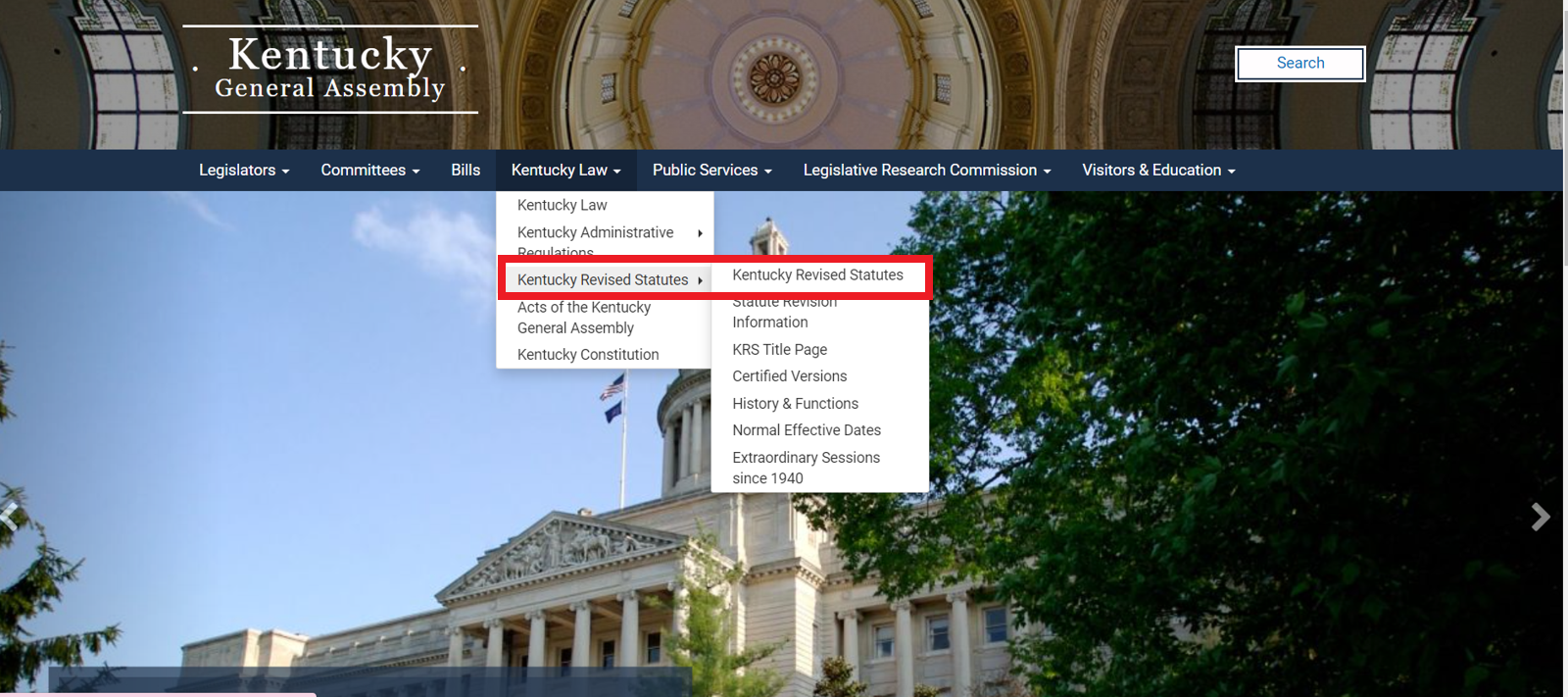
Step 3: Select “Kentucky Revised Statutes”.
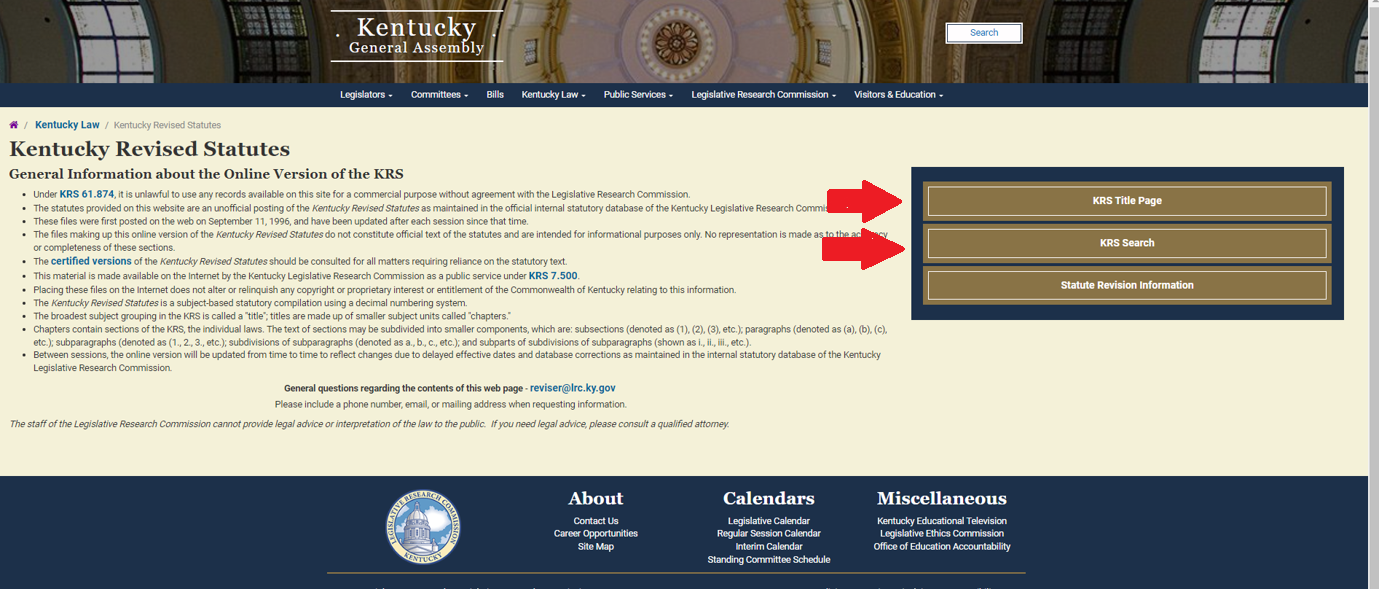
Step 4: Search using “KRS Title Page” or “KRS Search”.
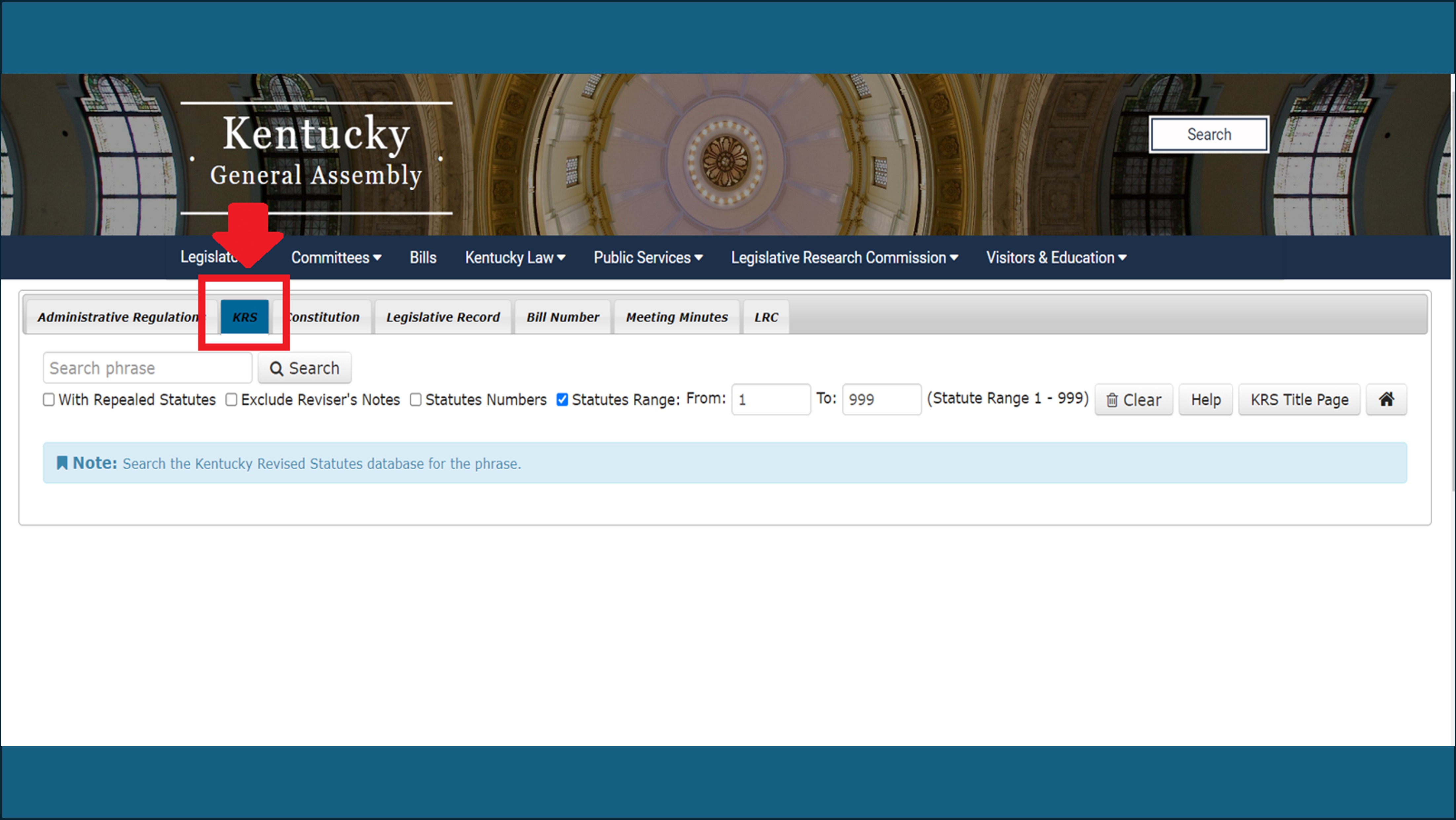
OR
Search by title: